What High-Volume Agencies Need in a Google Ads Automation Platform
Managing 100+ client accounts? Here are the criteria for evaluating Google Ads automation and agentic tools, what to prioritize, and what to avoid.
Published on
September 17, 2026
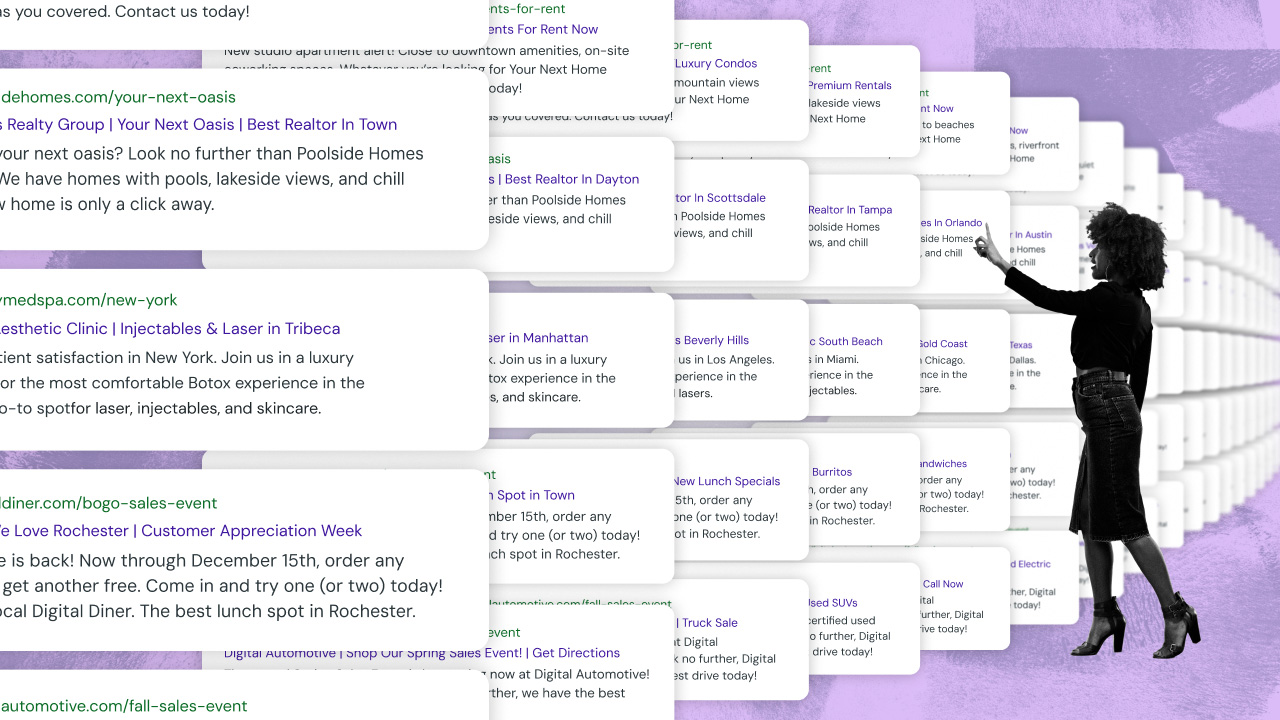

Large ad agencies managing paid media at scale need a Google Ads automation platform built to solve operational problems differently than tools designed for individual accounts. At 100 or more client accounts, evaluate an advertising automation platform against seven criteria:
- Cross-account budget governance
- Multi-account workflow automation
- Multichannel execution
- Agentic governance enforcement
- Portfolio-wide health monitoring
- Performance Max (PMax) guardrails
- Client-level governance
---
Most Google Ads automation platforms are built to optimize individual campaigns. But for agencies where the primary challenge is managing complexity at scale, not just improving campaign performance, these platforms don't solve for running hundreds of accounts as one coordinated system.
If you're managing more than 100 Google Ads accounts, a non-compliant rule doesn't just damage one account: it likely damages every account it touches. Issues like budget pacing errors, copy changes deployed to the wrong campaigns, or automation rules that don't have client-level guardrails are manageable exceptions at small scale and operational crises at large scale.
Google Ads automation platforms built for high-volume advertising operations have fundamentally different architecture than those designed for solo advertisers or a boutique agency. You need the right vendor evaluation criteria to ensure that the automation platform you choose is designed to handle large-scale advertising operations.
Here are seven things to look for in a platform built for large-scale AdOps.
Cross-account budget governance control, not just per campaign
Cross-account budget governance means seeing and controlling pacing, spend limits, and reallocation across every Google Ads account in your client portfolio from one place, instead of adjusting each account one by one. Small pacing errors compound at scale: a 5% overspend on one account can balloon into a six-figure credit across 200 Google Ads accounts.
Nearly every Google Ads automation platform includes basic per-campaign bid adjustments and single-account budget dashboards. But when you’re responsible for hundreds of different Google Ads accounts, these one-off budgeting capabilities don’t suffice.
What to look for: If you're managing budgets across hundreds of accounts, look for Google Ads automation platforms that:
- Automatically pause campaigns portfolio-wide the moment a budget is exhausted
- Let you edit budgets across any number of accounts from a single place
- Roll multiple budgets into trackable groups by location, channel, or OEM
- Automate budget roll-over, when relevant, for campaigns that frequently underspend as a result of low search volume
- Enable teams to prorate budgets automatically for mid-month activations
- Can accommodate promotions and holidays into your budget allocation, for those periods when you want to be more aggressive
The best Google Ads automation platforms for high-volume agencies will include:
- Automatic overspend protection for Google Ads: The system should be able to automatically pause every linked Google Ads campaign the moment a budget is exhausted across your entire client portfolio. Your team should not need to manually monitor individual ads, campaigns, or accounts for overspending.
- Bulk budget editing across multiple Google Ads accounts simultaneously: One-off budget editing wastes your team’s time and increases the likelihood of errors. A robust Google Ads automation platform will enable you to edit monthly budgets across any number of accounts, from one to hundreds, from within a single worksheet.
- Underspend mitigation: Maximizing a client’s budget, in most cases, also maximizes your agency’s profit margin. Autonomous underspend mitigation solutions can identify any Google Ads budgets pacing below 96% of a monthly limit, escalate automatically through multiple spend-recovery strategies, and then deactivate automatically once spend gets back on track. Plus, automating underspend mitigation is a proactive budgeting governance strategy, rather than stressing to increase spend at the end of each month.
- Custom budget group management capabilities for Google Ads: Rolling multiple individual Google Ads budgets into a single trackable unit (based on location, channel, or OEM). This saves you considerably more time than monitoring each budget separately, giving you group-level pacing visibility
Another critical way to manage budgeting governance at scale is by configuring Google Ads budgeting rules at the customer level rather than account by account. This enables you to cascade your budgeting governance: a single budgeting configuration change is implemented across the entire customer's account portfolio instantly.
Fluency’s customer-level agentic budgeting solutions for Google Ads enable you to:
- Set custom Google Ads underspend recovery windows: Set a fixed number of days for a Google Ads budget's underspend "catch up" window instead of defaulting to recovering underspend over the rest of the remaining month. By setting a fast budget recovery period to three days, Fluency's budgeting agents take the total underspend amount and spread the correction across just the next three days. If, for some reason, the budget isn't fully recovered in the set window, the system automatically re-triggers its efforts until the month ends or it fully corrects the underspend.
- Establish default pacing rules for new Google Ads budgets: Set default budget pacing strategies for all new budgets, including the starting pacing strategy and auto-pausing spend once the budget is spent.
- Rescale Google Ads spend-limit proportionally: Automatically and proportionally rescale every budget under a Google Ads account when the account's spend limit changes, or rescale every budget in a group when that budget group's spend limit changes. Without these on, a spend-limit change would otherwise require manually redistributing the difference across every affected budget.
- Set Ad-schedule guardrails for Google Ads underspend correction: Define exactly how many extra hours before or after the pre-existing ad schedule the system is allowed to run Google Ads campaigns when trying to fix underspend. These hours are the exact ceiling the autonomous system can't exceed, even automatically. They’re a hard guardrail on how far Google Ads underspend correction can stretch. You can also group them with other tactics, such as expanding geo targeting, loosening match type, removing negative keyword conflicts, and more.
Multi-account workflow automation must run across every account at once, not one-by-one
Multi-account Google Ads workflow automation means launching campaigns, deploying copy changes, and updating creative across a client’s entire portfolio in one action. This saves your team from repeating the same setup steps account by account. After all, these are the workflows that drag down AdOps efficiencies at high-volume agencies as the number of accounts managed per strategist increases linearly.
What to look for: If you manage hundreds of Google Ads accounts, look for advertising automation solutions that:
- Enable template-based campaign creation from data feeds
- Can deploy copy changes across all accounts simultaneously
- Let you schedule changes that also automatically revert to evergreen campaigns
- Automate account launch workflows en masse so you don’t have to do individual account setups
- Are compatible with multiple Google campaign types, such as PMax, Vehicle Ads, and YouTube (video) ads
Fluency’s Google Ads automation solutions helped Click Here Digital, a full-service marketing agency, cut account launch times by 91% and Google Ads Responsive Search Ads (RSA) creation time from 1.25 hours to 30 minutes.
For agencies managing hundreds of Google Ads accounts, these are the most valuable multi-account workflow automations:
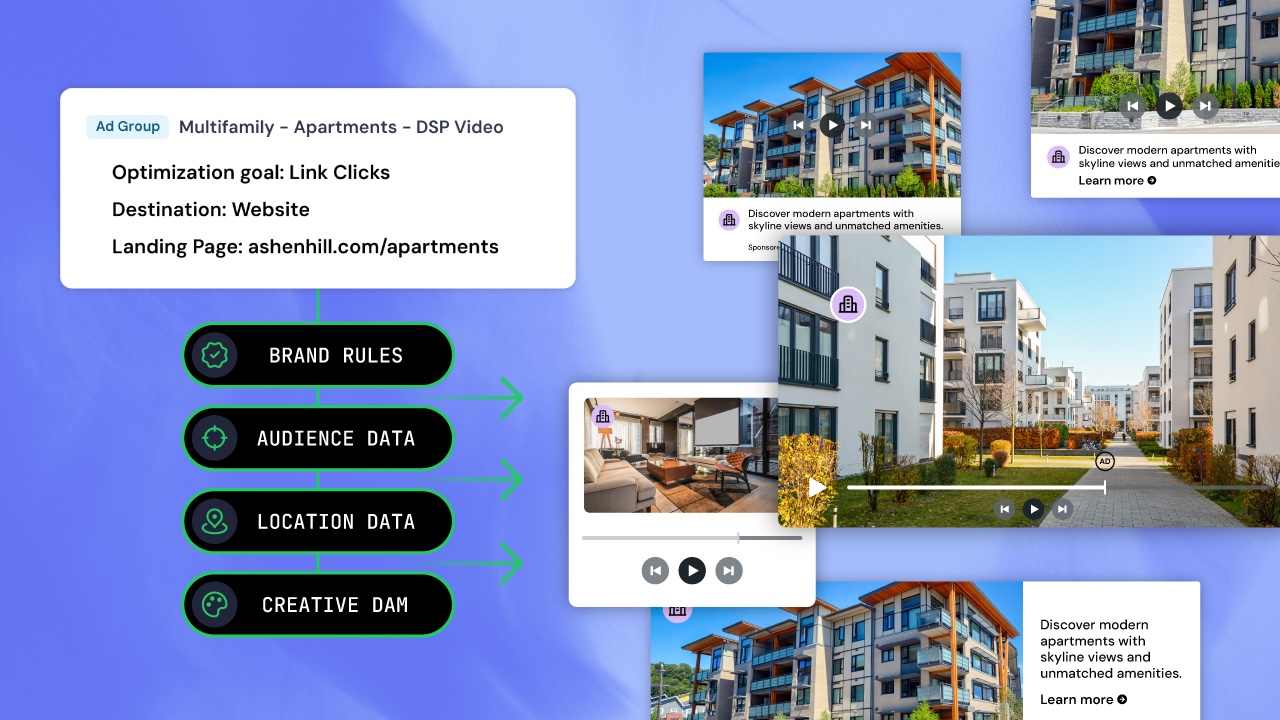
- Automatically apply account-wide configurations from one place. Fluency Blueprints gives you the power to build a campaign, ad group, or creative once and then apply the settings across every connected account in a vertical rather than configure each account one by one.
- Localized Google Ads copy automation: Personalize copy for each Google Ads account inside one shared template without building separate ads.
- Push updates to every connected account from one place: Changes are made to every account connected to the campaign template, across any relevant channel.
- Bulk image upload for Google Ads creative assets: drop a folder, paste a list of URLs, or pull from a media library (Creating Performance Max [PMax] campaigns)
- Automated QA agents find missing or misconfigured settings before launch: This is especially critical for Google Performance Max (PMax) campaigns. Fluency’s deterministic agents flag the exact missing or misconfigured assets across all accounts before the campaign goes live with incorrect creative.
Cross-channel execution capabilities for client campaigns running outside of Google Ads
High-volume ad agencies should look for a platform that can automate cross-channel execution —launching, managing, and governing campaigns—across all major publishers from one workflow. Google-native automation tools are Google-only by design, forcing agencies with multichannel clients to run separate processes for every additional channel.
What to look for: Even if you’re looking for a Google Ads automation solution, an enterprise-scale agency should prioritize selecting a platform that can execute—not just report—across all major ad channels from a single system. Some tools offer multichannel reporting visibility, but the most valuable solutions will enable task execution across multiple AdOps workflows.
Fluency’s agentic advertising operating system supports Google Ads, YouTube, Microsoft Advertising, TikTok, Meta Ads, Pinterest, Amazon, The Trade Desk, and Basis from one place. This means that your campaign settings, budgets, and governance apply across all channels, automatically, so you don’t have to set everything up channel by channel.
Key automated cross-channel execution features for high-volume agencies include:
- PPC management all in one place: If you change a campaign's audience targeting parameters, the update should push to any other PPC channels (such as Microsoft Advertising) when it pushes to Google Ads. The same logic applies to PMax: the platform should let you execute Microsoft PMax campaigns alongside Google PMax campaigns.
- Agentic capabilities for your entire multichannel strategy: The platform should support your full cross-channel workflow, not just execution. That means automated campaign building, budget management, and insight generation take place across all major ad channels where you’re running ads, all executed through one system.
- Cross-platform setting normalization: A true multichannel automation solution will absorb platform-specific quirks so your team doesn't have to track (and manage) these nuanced differences manually. For example, what Google calls an “Ad Group,” Meta calls an “Ad Set.” A system designed for multichannel scale will translate those naming and structural differences automatically, so settings like network targeting, ad scheduling, and audience lists apply correctly no matter which platform you're in.
- Managing social and search budgets in one place: Fluency’s budgeting solutions let you manage budgets across social and search from a single system. As a result, reallocation recommendations run across channels based on your primary KPIs rather than being biased by individual platforms pushing you for more spend.
For automotive ad agencies, you should also look for system versatility that extends to inventory-driven ad formats. For example, as of May 2026, Google Vehicle Ads can now run through Standard Shopping instead of being limited to only PMax. Fluency enables automotive agencies to manage both the Performance Max and Standard Shopping pathways for Google Vehicle Ads across dealer portfolios by handling feed ingestion, normalization, and campaign governance at scale.
Agentic advertising governance must be enforced at the system level
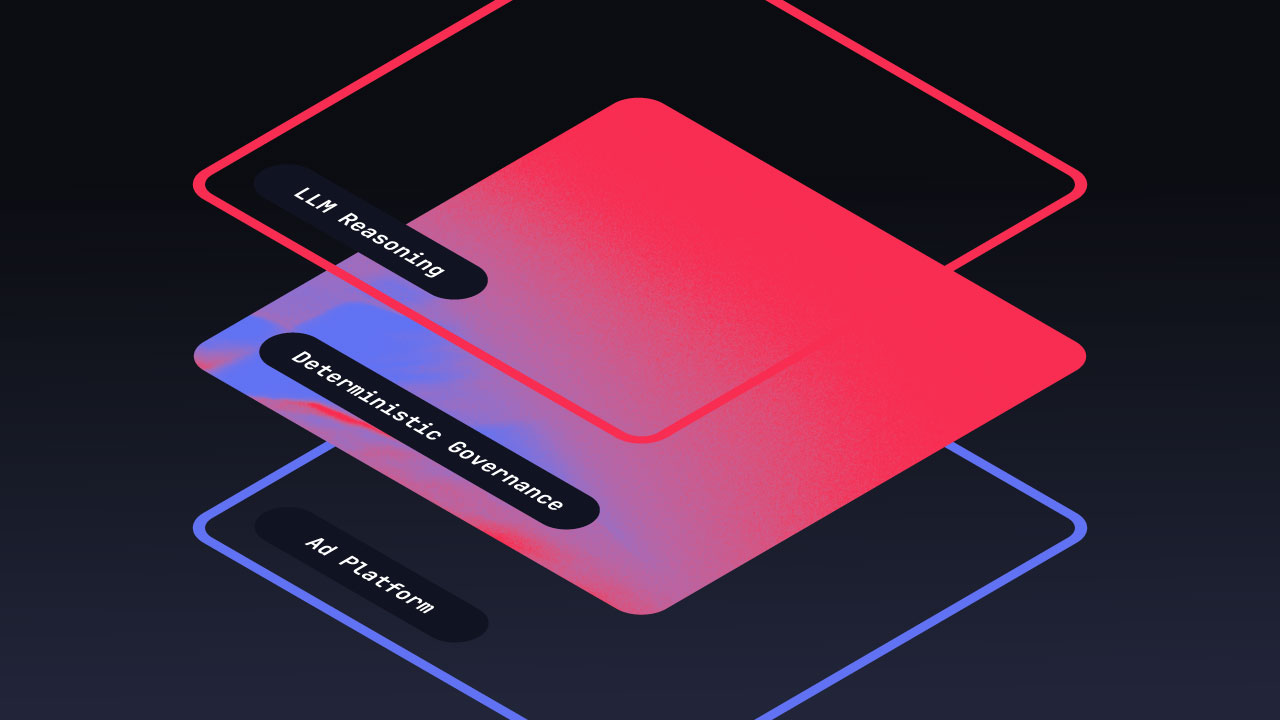
The difference between a useful Google Ads automation platform and one that creates more risk is whether there's a deterministic layer enforcing the boundaries of what AI agents can and cannot do. Agentic execution governance must be enforced by the automation system itself instead of requiring instructions to be fed to AI agents via prompts. These governance rules should include hard-coded budget caps, geographic restrictions, and compliance requirements.
What to look for: If you’re managing hundreds or thousands of Google Ads accounts, you don’t want AI agents acting outside strict client requirements. It is vital to choose an agentic advertising system that enforces governance at the platform level, regardless of what an AI agent might recommend for next steps or specific actions.
Most Google Ads automation tools provide you with AI-generated recommendations, but they don’t let you enforce what can and can’t go live. That creates real risk for agencies managing a high number of clients because AI-native automation platforms can take actions directly in live client accounts. An AI system that can take the correct actions across 200 accounts can also do the wrong thing across 200 accounts.
As you look for the right agentic advertising execution system to help you manage Google Ads at scale, make sure you can apply these kinds of governance rules at the platform level, not just the account level:
- Hard-capped budget reallocation recommendations: You should be able to set clear budgeting limits (either a dollar amount or a percentage of an individual budget per cycle) for agents. Anything an AI agent recommends outside these bounds must require human approval before applying to a live campaign.
- Setting rules against your own benchmarks: The system should let you build governance rules around the performance benchmarks your client actually cares about, instead of relying on a platform's built-in definition of what constitutes “strong” performance.
- Protect human judgment calls from automated overwrites: Make sure the system enforces your manual setting adjustments, so automated workflows don’t overwrite them the next time they run.
- Stopping AI-generated creative from launching without review: Fluency’s launch QA will name specific asset errors before any Google Ads campaigns go live. This protects your agency from shipping any unchecked AI-assembled creative.
- Clear change logs, with the ability to revert: For instance, every change is logged in Fluency and at the native partner level. This helps your team troubleshoot issues and revert specific changes when something goes wrong.
Portfolio-wide Google Ads health monitoring needs to flag issues before they affect performance
Portfolio-wide health monitoring means one system surfaces account issues—disapproved ads, zero-spend campaigns, pacing errors—across every Google Ads account in your portfolio. This takes the stress out of relying on each account manager to catch problems in their own accounts on their own schedule, which usually means issues are found after they've already affected client campaign performance.
What to look for: Prioritize a Google Ads automation system with automated anomaly detection—disapproved ads, zero-spend campaigns, budget pacing errors, bidding anomalies—across all your client accounts. Any notification workflows and recommended actions should be paired with these alerts so AdOps teams don’t have to investigate and resolve each one manually.
Most Google Ads automation solutions come with per-account alerts. True portfolio-wide performance monitoring solutions will provide your team with automated alerts across all major ad publishers, not just Google Ads. Some of these examples include:
- Automated budget underspend mitigation: Agents can automatically activate and escalate underspend for every Google Ads account in your portfolio without requiring a person to spot the problem in each individual account.
- Portfolio-wide “paused campaign” alerts for Google Ads: Fluency notifies AdOps teams the moment any campaigns with allocated budgets are paused.
- Alerts for pacing issues and reallocation recommendations across all Google Ads accounts: These alerts are fed into a reviewable task queue, helping teams prioritize high-impact issues as soon as they log in for the day.
- Ad-level health monitoring for Google Ads: Fluency flags disapproved ads or zero-spend campaigns across multiple channels for your entire client portfolio.
- Group-level performance visibility beyond account-by-account dashboards: Fluency rolls multiple budgets and performance metrics into one trackable unit (by location, channel, campaign type, label, day of the week…the list is limitless!), giving you group-level pacing, spend-to-date, and performance metrics so your team doesn't have to monitor each budget individually.
- Answers about what happened and what to do about it: Being alerted about a problem is one thing. Pointing you directly to the place to fix it and suggesting the right course of action, as Fluency does, is far more valuable to enterprise-scale agencies.
- Ad copy compliance flagging: Fluency alerts teams to ad copy that may violate compliance rules you set, across every account in your portfolio.
- Ad serving alerts: Issues preventing ads from serving (including missing ad groups, creatives, or keywords) are flagged for resolution before they cost you anything.
- Destination URL monitoring: Fluency checks destination URLs across your portfolio and notifies you of any landing pages returning error codes, like 404s, before consumers click through to a broken page.
- Negative keyword conflicts: Fluency flags negative keywords that block your own targeted keywords, saving you from missed impression opportunities.
- Ongoing keyword suggestions: Fluency’s system continuously surfaces keyword-level recommendations across every account for bid changes, additions, and removals.
- Out-of-country spend: Fluency flags accounts spending outside their country of residence, so misconfigured geo targeting gets caught before it burns budget.
- Performance alerts based on your own benchmarks: You can also set performance-bound alerts around your agency's best practices or a specific vertical's standards. These enable Fluency to flag any account performance that falls outside them, instead of relying on a generic definition of "good."
Performance Max (PMax) guardrails should be enforced at the platform level, with the ability to override Google’s PMax automation
If your high-volume agency wants to set firm Performance Max guardrails around locations, languages, ad schedules, and brand safety rules, make sure the Google Ads automation tool enforces your rules at the platform level. This ensures your clients’ campaigns aren’t left solely in the hands of Google's PMax targeting and creative decisions by default. Without this feature, PMax might make placement and audience choices that conflict with a client's brand guidelines or geographic restrictions, which can become a major issue across a large agency portfolio.
PMax campaigns are an excellent way to test and optimize creative combinations. However, it can sometimes make targeting, placement, or creative decisions that conflict with a client’s brand guidelines, geographic restrictions, and audience exclusions. If your agency has a large client portfolio, those conflicts multiply and can be difficult to manage manually.
What to look for: Make sure your Google Ads automation system lets you set hard operational guardrails (locations, languages, ad schedules) and enforce brand safety rules across all PMax campaigns simultaneously. An agentic automation system built for scale will also let you apply strategic intent controls, such as search themes and audience signals, across hundreds of PMax campaigns at once rather than per campaign.
What do these platform-wide PMax guardrails look like in practice? Here are some examples of how Fluency helps you maintain control over PMax campaign settings at scale:
- Google PMax asset group management en masse: With Fluency, you can manage PMax asset-group settings across every account in your portfolio from one place instead of configuring each one individually inside Google Ads.
- Positive Geo Target Strategy options for PMax: Fluency surfaces Google's own Presence and Presence-or-interest location targeting options within its settings. Fluency also includes a third, Microsoft-only strategy (“People searching for your targeted location”) for agencies running Microsoft PMax campaigns for clients.
- Launch Review for PMax asset groups: Using deterministic agents, Fluency's Launch Review catches missing or misconfigured PMax assets before a Google Ads campaign goes live. The system even names the specific problem so your team doesn’t need to dig around for it after launch.
- Bulk image upload for PMax asset groups: Uploading PMax assets en masse saves you a ton of time over uploading images one at a time. Just drop a folder, paste a list of URLs, or pull from a media collection into Fluency to populate PMax asset groups at scale.
Gaining control over PMax settings at scale is more important than ever. Starting August 2026, Google began automatically migrating a limited group of Local Services Ads (LSAs) into Performance Max campaigns inside Google Ads. LSAs are typically used by agencies managing home services clients (HVAC, plumbing, electrical, appliance repair) and legal clients for pay-per-lead lead generation.
With this change from Google, agencies managing LSAs within the affected verticals will have to manage PMax campaigns. Any campaign settings, budget logic, and compliance guardrails that lived in a separate LSA dashboard now need to be governed within Google Ads. Agencies who are already running and managing PMax governance within their strategic infrastructure are best positioned to handle that transition, both during the change and in perpetuity.
Client-level governance across a client’s full multichannel portfolio instead of channel by channel
True client-level governance means all brand exclusions, spend thresholds, and geographic restrictions follow a client’s campaigns automatically, across every channel and account they run. The alternative is that agency AdsOps teams need to reapply client requirements manually, campaign by campaign. Even if automated workflows are enforcing rules at the campaign level, this leaves a lot of compliance work (and risk) in the hands of humans.
What to look for: High-volume agencies should adopt agentic solutions that move beyond single-channel governance enforcement (i.e., not just for Google Ads). A system built for scalable growth will let you set governance once per client, in one place. From there, the software can enforce rules across the full portfolio. As an added bonus, you’ll get unified cross-channel reporting that doesn't require your team to compile data manually from multiple channels.
Here’s what multichannel governance looks like at scale:
- Customer-level defaults automatically apply across your portfolio: Within Fluency, you can set a client’s pacing strategy, read-only defaults, and auto-pause rules once at the customer level. Any time a change is made, it’s applied to every account in that customer's portfolio, saving you from manually making revisions account by account.
- Spend Limit, Budget, and Total Budget reconciliation: Fluency's Spend Limit feature sets an approved account-level ceiling that every campaign-level Budget and Total Budget must reconcile against. Teams can easily see any mismatches for rapid resolution. This also ensures that, even if different strategists manage different platforms, the sum of all campaigns across channels never spends beyond the account-level spend limit.
- Budget groups organized by client-relevant structure: Rolling individual budgets into groups by location, channel, or funnel depth streamlines work QA for your team. They can govern and monitor groups as one unit rather than tracking each budget separately.
- Reverse sync keeps governance correctly paired to the right accounts: When changes are made directly in a native platform, like Google Ads Manager, Fluency reverse syncs these updates while matching the system’s own naming and rules. As a result, governance doesn't drift out of sync with edits your team makes on individual channels.
8 questions high-volume agencies must ask any Google Ads automation vendor
Before committing to a Google Ads automation platform, ask the vendor how it handles the operational reality of running hundreds of accounts, not just how well it optimizes an individual campaign. The answers you get will reveal whether a Google Ads automation tool was built for agency-scale operations or single-account management, as well as where governance lives.
Here are eight questions to ask in your next demo call:
- How does budget pacing work across 100+ accounts simultaneously?
- Can we deploy copy, targeting, budgeting, or creative changes across all accounts at once, or only account by account?
- Does your platform execute workflow automation across Google Ads, Meta Ads, and programmatic DSPs, or only Google?
- Is governance enforced at the platform level, customer level, account level, or campaign level?
- What happens when an AI agent takes an action on a live campaign that falls outside a defined budget cap or rule? For example, are we able to see what an agent did and why it made that choice?
- What does anomaly detection look like, and can we customize what deserves an alert? For example, does it surface Google Ads issues proactively, or do teams need to manually check for issues?
- How many client accounts or monthly campaigns does your platform run today?
- Are any of your agency clients comparable to ours in terms of size, monthly spend, and channel mix?
What are the best Google Ads automation platforms for agencies?
The right platform depends on how many accounts you manage, how many channels you run, and how much execution you want agents to handle without approval. These four solutions cover the main approaches.
Frequently Asked Questions about Google Ads Automation solutions
What is the best Google Ads automation platform for high-volume agencies?
Fluency is built for advertising automation platform for agencies managing 100 or more client accounts with spend across multiple channels. High-volume agencies need platforms designed for high-volume operations so they can manage cross-account governance, multi-account workflow automation, and multichannel agentic workflow execution from one place. Fluency was built to help agencies manage and govern multichannel advertising operations at scale.
As of 2026, Fluency manages more than 250,000 campaigns monthly, totalling nearly $3 billion in annual ad spend, and supports advertisers running campaigns across Google Ads, Meta Ads, Microsoft, TikTok, Pinterest, The Trade Desk, and more from a single governance layer.
What tools do large ad agencies use to manage paid media at scale?
Large agencies managing paid media across hundreds of client accounts use advertising platforms that enable workflow automation at the portfolio level, not just the campaign level. Everything from campaign creation, copy deployment, and budget management should be able to be applied across every channel, for every account, simultaneously. Additionally, governance must be enforced consistently across the full client portfolio and not in one-off workarounds.
Enterprise-scale agencies managing scale across multiple channels, such as Google Ads, Meta Ads, Microsoft, and programmatic DSPs, have success using Fluency. Typical Fluency client results include 80% faster campaign launches, 97% less time on budgeting and pacing tasks, and a 99% decrease in campaign launch errors.
What are the top Google Ads automation platforms for agencies?
The best platform depends on how many accounts you manage and how much execution you want agents to handle without approval. Fluency fits agencies and brands running hundreds or thousands of accounts across Google Ads, Meta Ads, Microsoft Advertising, TikTok Ads, and programmatic channels. Optmyzr works well forPPC-focused agencies and in-house search teams who want rule-based control and human review of each change. Skai is a good fit for enterprise advertisers with heavy retail media spend. Synter was designed for solo marketers running one ad account per platform.
What is the difference between Google Ads automation and Google Smart Bidding?
Google Smart Bidding is a bid optimization feature built into Google Ads that adjusts bids at auction time based on signals (e.g, device, location, and audience) to hit a target CPA or ROAS. These adjustments can be made within a single campaign or pooled across campaigns (and across accounts, via MCC-level cross-account bid strategies) within a portfolio bid strategy.
Google Ads automation is a broader category that includes advertising automation workflows beyond bid management, such as campaign creation, copy deployment, budget governance, anomaly detection, Performance Max management, and cross-account workflow automation. Tools that provide advertisers with Google Ads automation capabilities typically offer automation workflows that operate across accounts, channels, and the full operational lifecycle of a campaign, not just at the bid level.
Can Google Ads automation work across multiple client accounts at once?
Yes, but cross-account capability varies significantly by Google Ads automation vendor. Some Google Ads automation tools require account-by-account setup and management. Platforms built for agency-scale advertising operations can support bulk operations across all client accounts simultaneously.
Large-scale Google Ads automation platforms enable advertising teams to make budget changes, deploy copy adjustments, enforce governance rules, and monitor anomalies across an entire client portfolio all from a single workflow. Tools like Fluency widen the scope of these workflows to include multiple publishers, not just Google Ads.
What is the difference between Google Ads automation and PPC automation?
PPC automation is a broader category that covers automated workflows or features across any pay-per-click channel, such as Google Ads, Meta Ads, Microsoft Advertising, and TikTok. Google Ads automation refers specifically to automating campaign, bid, and creative management within the Google Ads ecosystem. For agencies managing client spend across multiple paid channels, the relevant evaluation is PPC automation at the platform level, not Google Ads automation specifically.
How do I evaluate whether a Google Ads automation platform is safe to use at scale?
The most important evaluation criterion is determining whether governance is enforced deterministically or left to AI interpretation. If you manage hundreds of accounts, the safest platform for agencies will enforce hard-coded constraints for budget caps, geographic restrictions, and compliance rules regardless of what an AI agent recommends.
To determine whether or not this is the case, ask the Google Ads automation platform vendor if governance is managed at the platform level or if rules are passed as instructions to an AI. A safe, scalable solution will enforce governance deterministically at the platform level so teams don’t have to manually catch AI errors that go live.
See what Fluency's agentic Google Ads solutions can do for you.
Learn moreRelated Posts

How to Evaluate an Agentic Advertising Platform: What Goodway Group Learned Scoring 70+ Vendors