How Advertisers Manage Multichannel Campaigns in Bulk with Agentic Workflows
Bulk advertising management lets ad strategists reallocate budgets, fix errors, and swap promotional copy across channels and accounts at once.
Published on
February 2, 2026


Bulk advertising management means making changes across many campaigns, ad sets, and channels from one place instead of editing each platform separately. The most useful bulk management advertising tools use agentic workflows to move budgets between ad sets or multichannel campaigns, alert you when a campaign stops spending, and replace ad copy across channels at once. Each one turns repeated manual edits into a single action, often managed autonomously by agents.
---
If you’re an ad strategist, you're likely familiar with long nights and complex customer requests accompanying multichannel campaign management. Countless promotions to manage, different offers for different regions, urgent budget changes as the month comes to a close…we know, it’s a lot.
Luckily, there are tools out there to help you manage campaigns as stress-free as possible. Bulk-change automation tools can help ad strategists like you save time and improve campaign performance with ease.
For instance, what if you didn’t have to update every single ad set across every channel whenever a client decides to change their holiday promotions? What if you could make changes en masse—regardless of publisher or channel—from one place, with one click, then have agents implement the changes everywhere they need to go live?
It’s possible, and it’s powerful.
What is bulk advertising management?
Bulk advertising management is the ability to make changes across many campaigns, ad sets, and/or accounts from one place, instead of logging into each platform and editing everything by hand. Bulk ad changes can mean swapping promotional copy across hundreds of ads, moving budget between campaigns toward high performing creative, or finding errors and anomalies across channels and fixing them in bulk. Agents can propose and implement the right changes from multichannel performance data or you can upload new promotional details into one system and use agents to implement the changes for you, everywhere they need to take place. You maintain control of the promotional strategy while offloading repetitive edits and changes to agentic workflows. Ad strategists and agency teams lean on bulk management capabilities the most when they manage many accounts at once and have to make the same change in dozens, hundreds, or thousands of places.
Here are three powerful “bulk change” advertising automations that free up hours of your time, allowing you to put strategic tactics back in your daily work as a strategist.
Reallocate budgets in bulk across channels or campaigns
You have more important things to do than log in to multiple publishers every day (or multiple times a day) to ensure that budgets are running smoothly. Besides, when budgeting data is siloed to individual channels, how do you know that you’re getting the most mileage out of your monthly spend?
Managing and moving monthly budgets across different publishers and campaigns makes it nearly impossible to guarantee that you’re putting funds toward your best-performing ads at any given time. Budgeting becomes harder as you manage more accounts, channels, or campaigns. Imagine managing 1,000 different campaign budgets manually: you wouldn’t have time to spend your budget within the month!
Automating budget reallocation across campaigns ensures that your budget is going toward active campaigns (or channels) that provide the most value for you. You can rest assured that you’re optimizing your monthly spend without the time-sucking work of meticulously moving funds between different campaigns of channels.
What might this look like in your daily workflow? You can set up automatic budget reallocations that prioritize a variety of unique parameters that differ by account, channel, or campaign. For example, your client wants you to focus on lead generation across all channels. you can set up automation reallocation rules that prioritize your agency’s key metrics. CPL or Conversion Volume, and, if no conversions are taking place, you can prioritize CPC—all while weighing the ability of a campaign to spend. This automation rule remains active and notifies you when a reallocation opportunity arises, putting the choice in your hands about what action to take.
With all your publisher data syncing to a single platform, you can easily see which campaigns, channels, or ads are performing the best. Gone are the days of reconciling multiple budget sheets or calculating how much money you have available to move. Today’s AI agents can automatically identify optimization opportunities so you can stay focused on more meaningful tasks. Automation workflows can put these opportunities directly in front of you via real-time multichannel notifications or a dashboard, then take action based on your recommendations.
AI-driven automation can directly impact your forecasting and budget reallocation. For instance, Fluency’s Agentic Advertising Operating System includes easy-to-use budgeting features like predicting underspend, reallocating funds in real time, and delivering optimal performance through intelligent algorithms.
You can even build agentic workflows that take your preferred reallocation strategies and automatically move funds whenever the right circumstances arise. This gives you full strategic power while eliminating manual tasks—or the risk of errors.
For instance, let’s say your client is advertising across Google, Facebook, and YouTube with a primary goal of efficient lead volume. With automated reallocation capabilities, Fluency automatically reallocates your monthly budget between the three different channel campaigns (within your set limits) to maximize lead volume with low CPLs.
Essentially, agentic automation means you can quickly and intuitively shift budgets to respond to real-time performance, all while delivering more leads and a higher ROI without increasing your workload.
Find and resolve zero spend campaigns across accounts and channels
Raise your hand if you’ve had to call a customer and tell them that you actually didn’t spend any of their advertising money because no one noticed that the campaign wasn’t spending.
When you’re managing multiple customers or accounts, zero spend campaigns are bound to happen. You’ve got a campaign up and running everything looks good, but then creative gets flagged for an error and your ads are disapproved. Maybe funds weren’t added to a campaign, or maybe there are funds but no ad creative to run. Or, quite simply, maybe a campaign wasn’t turned on even though it’s good to go.
Even though zero spend situations arise, it doesn’t mean you should wait until days (or weeks) have passed to resolve them. Zero spend alerts instantly notify you if an account or campaign has stopped spending, even if there’s budget or your campaigns are active and available.
More importantly, they tell you why campaigns aren’t spending. This makes it possible to quickly mitigate the exact root cause (e.g. no budget, disapproved creative, poor targeting, etc.) regardless of the publisher, campaign, or ad set that’s impacted. Rather than logging into multiple systems and checking every ad set or campaign, you can manage all zero spend alerts from one place and immediately resolve multiple publishers from one centralized system.
Not only are zero spend situations bad for customer relationships, they’re bad for your bottom line. Zero spend alerts have saved ad agencies tens of thousands of dollars in ad credits every month, in addition to strengthening rapport with customers. If you’re managing ads in-house, zero spend means you’re not serving ads, resulting in zero clicks or sales during the time the campaign is off.
Zero spend alerts can also optimize your internal workflows by indicating where problems typically arise in your campaign setup or management. For example, if ad sets are continuously disapproved for copyright infringement or regulatory reasons, an influx of zero spend notifications might encourage your team to review your creative compliance QA processes. Improving your internal processes can result in better campaign playbooks, expediting future launches and improving overall campaign health.
The same goes for optimizing your advertising strategy. Ads may not be served because daily budgets are too low, your audience is too narrow, or your current messaging isn’t resonating with audiences. Having these insights delivered directly to you gives you the ability to comprehensively shift your strategy quickly across all channels, campaigns, or ad sets instead of making individual changes within silos.
Pre-schedule bulk ad copy changes for promotional offers
As an ad strategist, you’re all too familiar with juggling different localized promotions and special offers. Going into AdWords Editor, switching up all of the ads (or creating new ones) to reflect special promotions, and then switching everything out as promotions change or end is a keystroke labyrinth.
And when the promotion ends, you have to switch everything back. Ugh. With so many moving parts, there’s a far greater chance that something is bound to go wrong.
But what if you could schedule bulk promotional messaging across entire campaigns or ad sets with just one click? Automation makes this possible, and it’s a powerful tool any time promotions change. Broadcast also reverts back to your evergreen copy automatically when the promotion window ends.
Automation enables you to swap out ad messaging for new words or phrases across any ad headers or body copy, regardless of channel or campaign.
You don’t have to limit yourself to single-word changes, either. For example, let’s say your customer is a regional coffee shop. When it’s time to switch over seasonal specialties, automation makes it possible to swap “Pumpkin spice latte” for “Peppermint mocha” across every ad set, campaign, and channel—with one click.
(Hint: agentic advertising systems like Fluency also notify you about expired messaging, such as a campaign that may be running Black Friday messaging in February.)
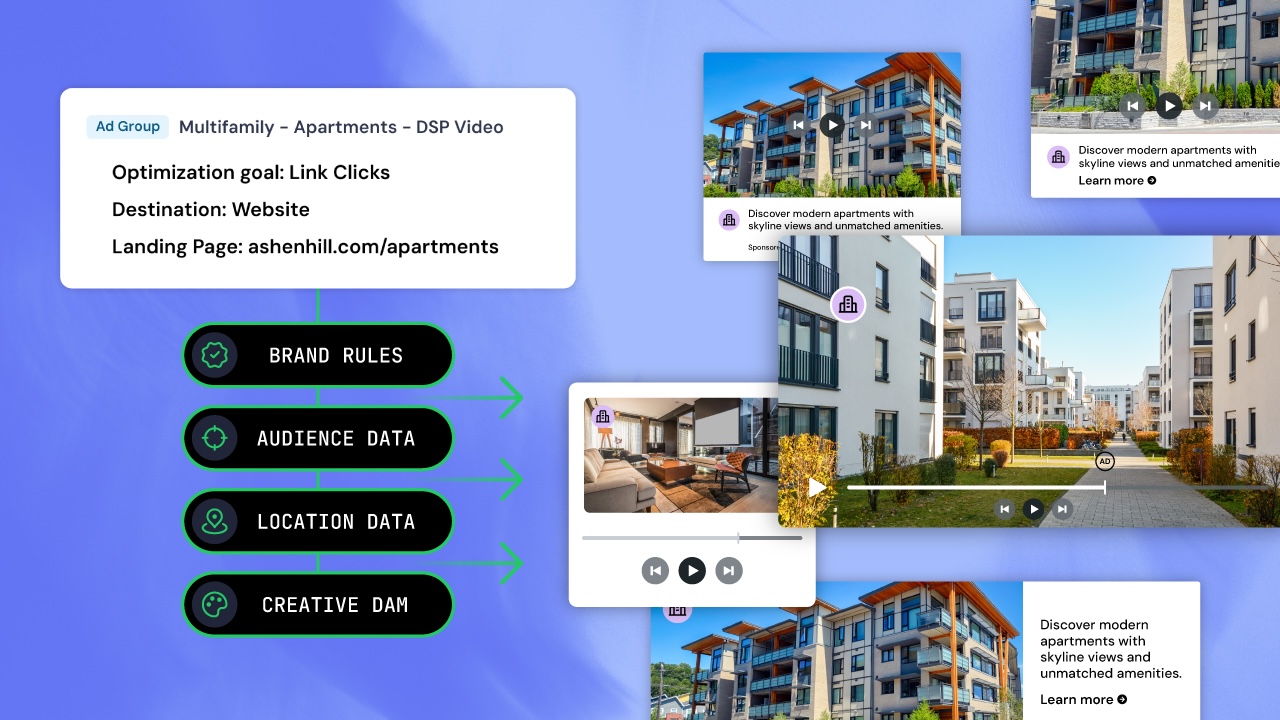
Bulk ad changes are tremendously helpful if you’re managing multi-location customers who want to test or implement different location messaging. For instance, a real estate customer might want to change their offer from “no application fees” for new leases to “first month free” in a specific region, but not every location. Fluency’s Broadcast tool enables you to fine-tune a variety of bulk ad change parameters, ensuring that different regions or locations are running the correct promotions (even if they’re different).
How bulk advertising management gives ad strategists time back
The use cases and examples shared throughout this article aren’t unique: customers always want to change messaging, promotions, or sale offers. Managing these changes and expectations is part of what it means to be an ad strategist.
Even though managing these changes is part of your job, it doesn’t have to be 100% of your job. Using automation means you no longer have to make changes manually across dozens or hundreds of different places. You can make changes in one place, and then use agentic workflows to automatically push the change out to every major ad publisher.
Automation can save you stress while giving you time back to focus on your goals, whether that's account strategy and growth, portfolio retention, or delivering higher touch service to your clients. Chat with our team if you want to learn more about how we can help you manage campaigns faster, easier, and with fewer errors.
Related Posts
How Amazon Ads Agent Fits A Multichannel Strategy: Audiences and Open-Web Reach