Multichannel Campaign Management: Why Google Ads and Meta Ads Aren't Enough
Published on
December 11, 2025
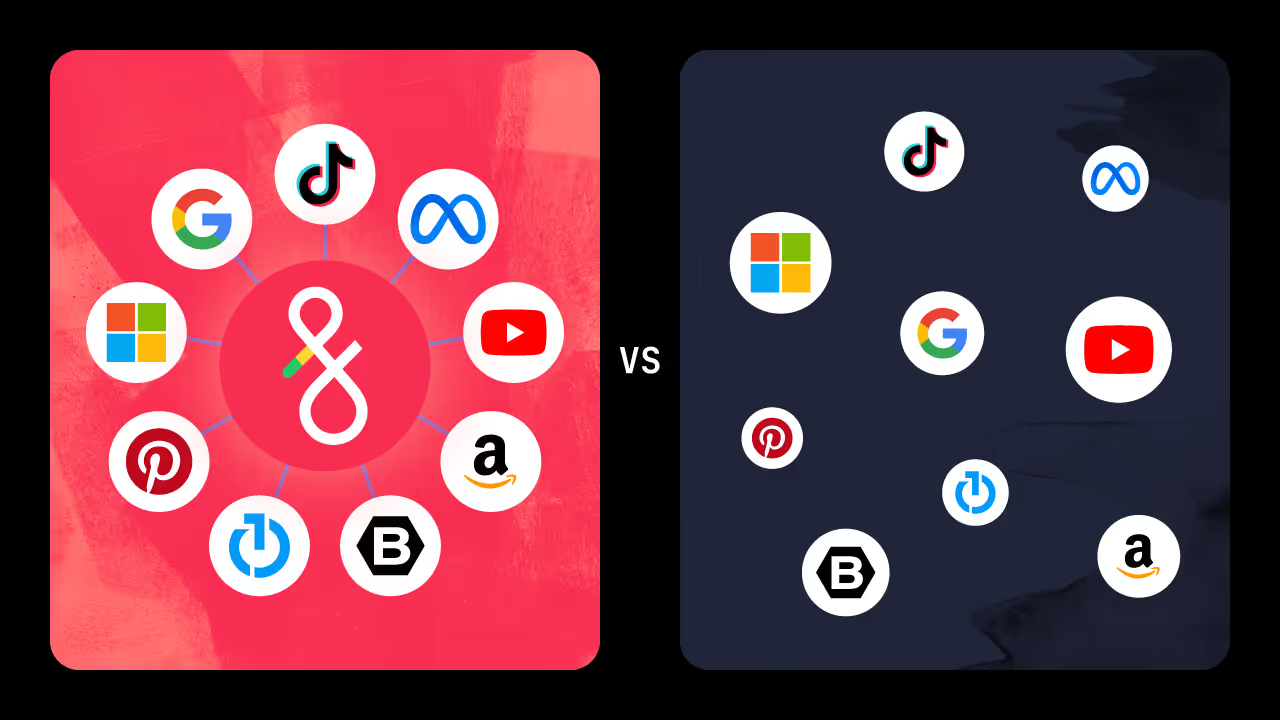

Multichannel campaign management consolidates your Google Ads, Meta Ads, and programmatic workflows into a single digital advertising operating system. Instead of manually duplicating audience targeting and budget pacing across isolated publisher tools, an automated platform like Fluency allows your AdOps team to launch and optimize campaigns globally from one interface. This centralized approach eliminates redundant data entry and reduces task execution time by more than 60%.
---
I spend a lot of time talking with digital advertising leaders, both at massive agencies and growing brands. I hear the same story over and over again: they have talented people, smart strategies, and big goals…but everyone feels constantly behind.
The tools meant to make advertisers’ lives easier are built for how we used to run campaigns, not the complexity of today’s ecosystem. AdOps teams are bogged down by the sheer weight of execution. Technology is at the core of these operational strains.
Top advertisers are moving away from these tools and methodologies, adopting multichannel campaign management systems. These AI and automation solutions can reduce task execution by more than 60% for AdOps teams, resulting in major time and profit gains.
Let’s take a deeper look at the operational challenges teams face and how channel-specific solutions hinder scale. We’ll also look at how integrating channel strategies into one system can help your team get ahead for good.
The AdOps crisis: why multichannel campaign management is broken
Multichannel campaigns are the norm, yet most AdOps teams remain siloed by channel. When your search team lives in Google and your social team lives in Meta, aligning them toward a single multichannel goal creates immediate operational roadblocks.
This legacy AdOps structure results in massive inefficiency. For example, executing a multichannel campaign across four platforms often means building the same audience four separate times. Looking at this another way, it means that 75% of your team’s time is wasted on redundant manual tasks rather than strategy.
To stop your labor costs from skyrocketing (and your profit margins from plateauing), you must finally abandon "the way things have always been done."
Why channel-native tools can’t solve multichannel operational strain
There’s no denying that both Google and Facebook/Meta have made major improvements to their AdOps solutions. But even with new AI and automation advancements, ad platforms themselves can’t ease the operational strain your teams feel every day.
Let’s take a look at some well-known tools used within major ad platforms and why they fall short of your overall business goals.
The limitations of Google Ads Editor: no alternatives to static spreadsheet workflows
For any seasoned search marketer, Google Ads Editor is a lifesaver for bulk campaign management. You can make changes offline and push them live by downloading a snapshot of your account, making changes in a CSV, and uploading them back into Google Ads.
While this helps make bulk campaign changes easier, Google Ads Editor doesn’t enable true operational scale. The logic—and for that matter, the overall strategy—still lives in your head or your spreadsheet instead of within the system.
For example, pretend you work at an automotive advertising agency. Your client’s latest inventory feed shows they just sold their last red F-150. However, their live campaigns have no idea.
That means ads promoting red F-150s will keep running, wasting money advertising a truck your client can't sell. Spend only stops when a human manually pulls a report, cross-references it with real-time inventory, and uploads a pause command. That latency creates a constant window of wasted ad spend.
Now, imagine that same scenario for managing a franchise client with 500 locations. Sure, you can copy and paste campaigns in Google Ads Editor, but there’s no denying that managing 500 campaigns (which all require location-specific configurations and ad copy) is a logistical nightmare. Someone will inevitably change a bid for the wrong location or transpose inventory information. At a minimum, your “best practice” settings will drift and performance will suffer.
Using a unified campaign management platform to codify your advertising strategies
Tools like a Digital Advertising Operating System (DAOS) remove these challenges. Instead, you can codify a set of instructions that tells the DAOS how to build and manage campaigns based on your data sources.
An automation-based solution, like Fluency Blueprints, enables you to set automated “valid when” logic rules that activate specific advertising strategies when the right conditions arise.
Let’s revisit the F-150 example. Rather than babysitting inventory feeds and making campaign changes based on stock levels, you can build a Blueprints rule like “Valid When: Inventory.Model = 'F-150' AND Inventory.Count > 3.” The moment the feed shows more than three F-150s in stock, automation generates and launches the campaigns, ad groups, or keywords for Google Ads (and any other relevant platforms you want to run the campaign on). If the client’s F-150 inventory drops to two, the system pauses these ads instantly without a human stepping in.
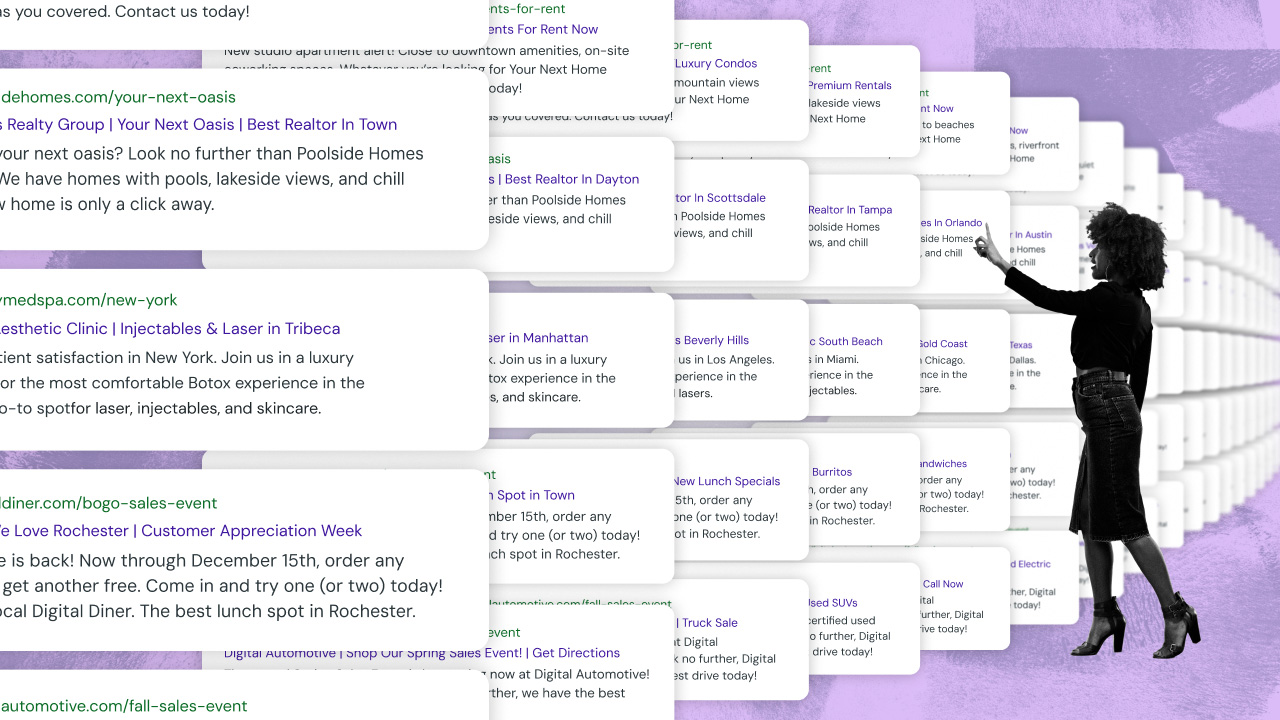
These automation logic rules also solve operational challenges for franchise or multi-location accounts. Strategists aren’t stuck writing ad copy like, "Visit our Boston store" for every location. A templated approach like "Visit our City] Store" enables strategists to use tagged data and [automation rules that dynamically inject the correct city, phone number, address, or any other variable into thousands of ads simultaneously. That means strategists just need to manage one master template for 100% relevance and accuracy at scale.
Overcoming Meta Ads Manager limitations for bulk campaign management
Meta Ads’ tools are impressively powerful when you’re building a single campaign, but the platform is more limited in its bulk campaign management features. Your best bet is Meta Ads’ "Import Ads in Bulk" feature, which relies on a notoriously fragile Excel/CSV template.
First, there’s schema fragility. Meta Ads’ "Import Ads in Bulk" feature enforces a database-level rigidity. Every column header and field must fit Meta’s exact specs. Anyone who has spent an afternoon trying to unravel error codes like "Invalid Ad-Object" or "Overlapping Text" knows this pain all too well. Drop in a special character, for example, and the whole upload fails. This downgrades your top strategists to spreadsheet mechanics, chasing down cell errors instead of refining campaign strategies.
Second, there’s the liability of exporting and importing CSVs instead of having the data sync automatically to Facebook Ads. The CSV you exported for ad copy edits is already obsolete by the time you finish making copy changes. If your brief changes or a strategy pivots, you’re rebuilding and uploading the entire sheet because it’s the only way you can “sync” your strategy to reality.
How to scale your AdOps: automating Google Ads and Meta Ads simultaneously
What if instead of constantly exporting and uploading static CSV files, you could codify your strategy so automated rules could make changes on your behalf? Automation makes this possible.
Advertising automation tools can act as living logic engines, ensuring the correct copy, asset, or budget changes happen automatically when certain conditions arise. For example, if a condition changes within one of your data sets—inventory drops, a product goes on sale, or the weather in a specific location changes from sunny to rainy—automation tools like Fluency Blueprints make the necessary changes in your ads instantly across both Meta and Google.
This means your teams don’t have to manually find and replace every headline after a Black Friday ad campaign or scramble when a client wants to run a flash sale at the end of the month. Working directly with live data feeds and setting up automation rules to make specific changes (e.g., “Advertise [Make][Model] when inventory is available”) frees your team from manual task execution. This means they have more time for strategic work, talking with clients, and executing the next big idea.
The true cost of duplicative AdOps workloads for cross-channel campaign management
Both of these examples highlight the fact that channel-specific tools force your team to keep moving numbers, assets, and targeting details one cell at a time. They’re stuck copy-pasting and doing manual data entry instead of working toward the bigger goal.
Adding to the complexity of both these scenarios is the fact that you’re trying to get the same information to both Google Ads and Facebook Ads, but each company demands your CSV to be set up a specific way. You can’t use the same file to upload (or update) both channels simultaneously because they require different formatting, column headers, data formats, etc.
The result? Duplicative work, wasted time, and disgruntled team members who spend their days copy/pasting instead of focusing on high-value tasks like optimizing creative strategies or analyzing campaign performance. They frantically run up against the limitations of siloed systems at every turn. Over time, this leads to burnout, higher turnover, and a cap on your team’s ability to manage more accounts or deliver better results.
Advertising teams who want to scale their operational capacity need more than faster import tools. They need a unified operational system that eliminates task redundancy. Putting a tool like a DAOS at the center of your AdOps means teams don’t have to manage separate workflows for Google and Meta. Instead, they can automate core AdOps tasks across multiple platforms at the same time.
Replacing manual data entry with automation frees your team to focus on what really matters: driving results, building relationships, and scaling your business. It also eliminates duplicative work and reinforces strategic consistency across channels, helping messaging, targeting, and budgets stay aligned to overarching goals without human interference.
Visibility gaps in Google PMax and Meta Advantage+: unifying multichannel data for automated reporting
As platforms like Google Ads and Meta Ads push automation like Performance Max (PMax) and Advantage+, respectively, they’ve also made campaign signals more opaque. This makes it harder for AdOps teams to understand what’s working and why.
For example, Google PMax bundles Search, Display, YouTube, and Discovery into one campaign, often hiding how your budget is spent. PMax is also notorious for cannibalizing branded search terms to claim easy conversions and inflate its own performance.
A DAOS can restore performance visibility to Ad Strategists and give them more control in driving specific outcomes. For example, Fluency pulls in performance data from all major ad channels into one place. This enables strategists to use Muse, Fluency’s integrated AI, to ask questions about multichannel data that are impossible to answer using only native tools.
With Muse, you can ask questions like, "Show me all campaigns across Google and Meta where the CPA is over $100 and spend is over $500." AI and multichannel data synthesis help you spot macro trends that would be invisible if you only looked at channel-specific performance reports.
Using a Digital Advertising Operating System also simplifies multichannel reporting, whether you work for an in-house team or manage multiple clients. A DAOS consolidates data from search, social, display, video, and programmatic channels into a single, unified system (which solves more than half the struggle when it comes to building multichannel reports).
It also means you can use automation to tailor reports for specific needs, like branding colors or specific KPIS. With a DAOS, you can automate the creation, scheduling, and delivery of multichannel reports. This saves teams a ton of time, yes, but it also ensures that insights are readily available to guide strategic decisions and help teams optimize campaign performance.
Access to multichannel data within Fluency’s DAOS breaks down the reporting and performance] (https://www.fluency.inc/platform/reporting)“black box” reinforced by channel-isolated performance data. You can detect anomalies, trends, and opportunities across your entire portfolio using tools like Muse. You can [build multichannel reports with specific qualifiers in just a few clicks, not a few hours. Simply put, you are given performance insights and report-building capabilities that truly serve you as an advertiser.
Achieving true cross-channel ad management through organizational shifts
The ultimate value of a DAOS is organizational. The traditional advertising model forces you to structure teams by channel, pigeonholing teams into using different tools and doing duplicative work. When you unify your operational advertising toolset, you unify your entire team.
Google Ads, Meta Ads, and programmatic DSPs are constantly adding new AI and automation features. No matter how good these platform tools get, though, they will never help your team [manage a multichannel campaign strategy with less complexity, time, or task work.] (https://www.fluency.inc/blog/four-actionable-ways-to-operationalize-your-multichannel-strategy)
A DAOS gives you the power to make the most of each channel’s strengths without requiring you to be an “expert” in every channel’s nuanced feature set. Using a centralized system enables a single strategist to manage an entire multichannel strategy. For example, they can define the "Labor Day Sale" campaign parameters within the system and use AI-powered automation for channel-specific execution at scale.
For operations leaders, the takeaways are simple:
- Automated logic beats manual labor, every time. Advertising’s future belongs to those who can scale robust, automated AdOps workflows—not teams who are the fastest at manual data entry.
- Siloed tech leads to misaligned strategies. Operational consistency across channels is only possible when you eliminate ad platform-specific execution and management.
- Unified performance data is a must for true multichannel insights. Automating the consolidation and reporting of multichannel performance data is essential for both real-time insights and monthly reporting tasks.
- Scale requires a new operational playbook. Even with new channel-specific features, teams can’t physically manually manage 1,000 localized campaigns. The only way to manage multichannel campaigns at scale is by operating across multiple channels simultaneously.
The agencies and brands already running on unified systems aren't waiting for channel-native tools to catch up - they've accepted that those tools were never built for the operational complexity they're managing today. Fluency gives AdOps teams the infrastructure to stop executing manually and start operating at the scale their clients actually need.
FAQ: Multichannel campaign management
Why are channel-native tools insufficient for multichannel campaign management?
Channel-native tools like Google Ads and Meta Ads are insufficient because they require AdOps teams to manually duplicate campaign builds, audience targeting, and reporting tasks across each separate platform, creating massive operational strain.
How do multichannel campaign management systems improve AdOps efficiency?
Multichannel systems improve efficiency by centralizing data and workflows, allowing strategists to build, launch, and optimize campaigns across Google, Meta, and programmatic DSPs simultaneously from a single interface.
How does a Digital Advertising Operating System (DAOS) support multichannel campaigns?
A DAOS codifies your advertising strategy into automated rules that execute across all channels simultaneously. Instead of relying on static CSV uploads for each publisher, the system uses live data feeds - like inventory levels or local weather - to instantly adjust bids, pause ads, and update creative on both Google and Meta without human intervention.
What is the biggest hidden cost of managing multichannel campaigns manually?
The biggest hidden cost is the massive amount of duplicative AdOps workloads. Because platforms like Google and Meta require completely different formatting, column headers, and data structures, strategists waste hours copy-pasting the exact same campaign data into different templates instead of focusing on high-value optimization and strategy.
It’s time to let go of channel-specific advertising operations. If you want to make the most of your team’s bandwidth and potential, you must unify your teams around core business goals through centralized advertising execution.
Related Posts
Agentic Programmatic Advertising for Multi-DSP Execution and Governance