Automated Enterprise Google Ads Management: A Guide for High-Volume Advertisers
Published on
April 20, 2026


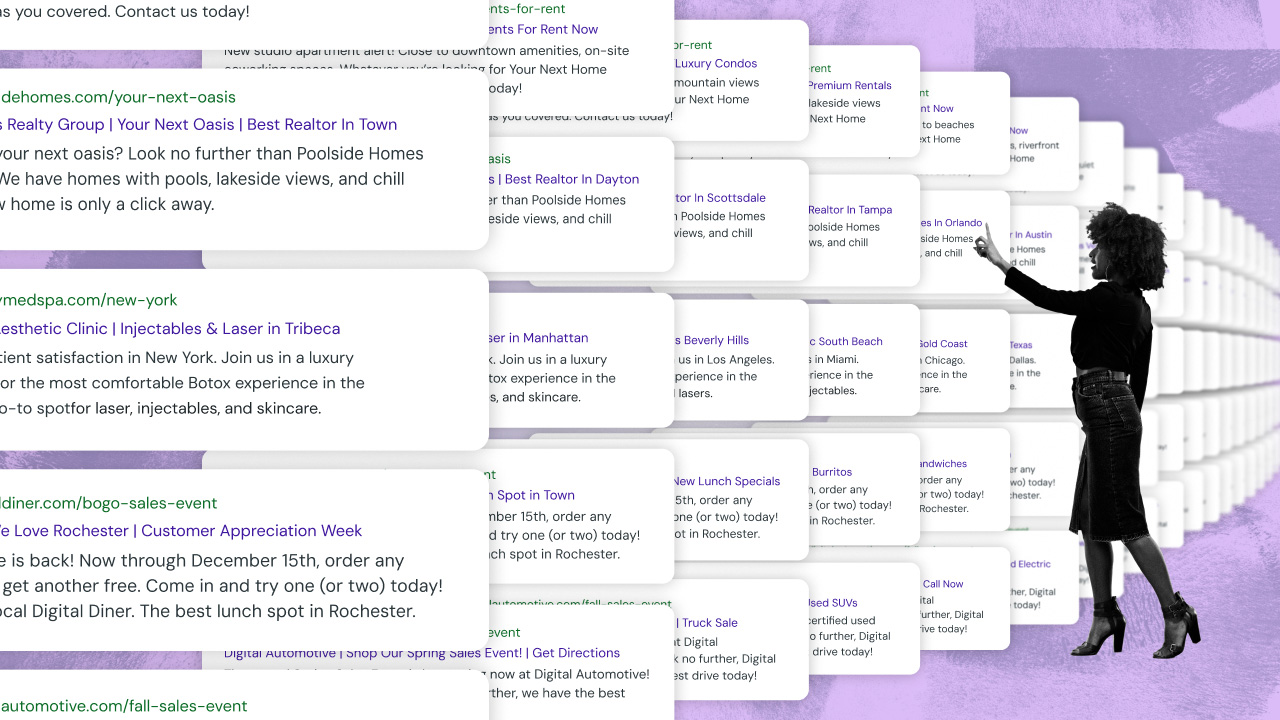
What is enterprise Google Ads management? Enterprise Google Ads management involves scaling complex search campaigns using third-party automation tools that go beyond Google's native capabilities. These platforms allow large advertisers to manage budgets, optimize bids, and deploy campaigns across thousands of locations efficiently.
For enterprise AdOps professionals struggling to scale complex campaigns, this guide defines enterprise Google Ads management and outlines essential operational best practices. You will learn how to utilize third-party agentic automation platforms to efficiently manage high-volume accounts without risking compliance or budget pacing errors.
---
Google's reach keeps growing - with over 13.6 billion searches happening every day in 2025 (up from 8.5 in 2024), that's roughly 9.4 million each minute or close to 570 million per hour.
For big companies, this makes Google Ads a must-have part of the enterprise advertising mix. Its significance lies in its ability to deliver highly targeted advertising, connecting ads with users actively searching for related products or services.
Google Ads for enterprise advertisers
Additionally, the PPC model long used by Google Ads has become dominant for enterprise advertising management—helping drive efficiency in cost and targeting—making Google Ads a foundational pillar. Scaling Google Ads campaigns at the enterprise level, however, requires additional tools beyond what's natively included in Google Ads.
The following guide summarizes the key best practices advertisers need to know for success and scale on this foundational advertising channel.
You will learn:
- An overview of available campaign types in Google Ads
- Best practices for management at the corporate level
- Key considerations for enterprise Google Ads automation and scale
How to balance Search, PMax, and Demand Gen campaigns across large advertising portfolios
Maximizing Google Ads performance requires deploying a precise mix of campaign types tailored to specific funnel objectives. Each campaign type plays a distinct role in your portfolio.
The best campaign choice depends on your specific objectives. Search campaigns deliver immediate results because they attract users who have already shown purchase intent. PMax provides wider exposure because it distributes your content through YouTube and Gmail as well as other pieces of Google’s network.
Teams can combine strategies by using remarketing to target previous visitors while demand generation efforts create awareness among new potential customers.
And Google’s official guide on campaign types provides comprehensive information on how to cast the widest possible net. Together, these ad types form a comprehensive strategy capable of targeting users at different stages of the buying process.
Watch now: everything you need to know about Google Performance Max (PMax):
Operational best practices for enterprise-scale Google Ads management
Enterprise Google Ads management demands precise execution across audience targeting, creative asset production, and expansion features. To optimize large-scale performance, teams must master four fundamental areas:
Understanding your audience and selecting the right keywords:
- Research your target audience's interests, behaviors, and the language they use. For example, if you’re in the multifamily industry, are people searching for terms such as localized neighborhoods modifiers within the city you are advertising in? Such as the RiNo or LoHi neighborhoods in Denver?
- Use keyword tools to find the right keywords that match your audience's search intent.
Creating compelling ads that convert:
- Write clear, compelling ad copy that addresses your audience's needs and pain points.
- Highlight what makes your product or service unique to stand out from competitors.
Utilizing ad extensions:
- Add extra information to your ads, such as location, contact info, or links to specific parts of your website.
- Ad extensions improve your ad’s visibility and increase the click-through rate (CTR).
Nailing your call to action (CTA):
- Include a strong, clear CTA in each ad to guide users on what action you want them to take next.
- Use action-oriented language that provokes enthusiasm or urgency.
Strategic optimization and testing tactics for high-volume Google Ads management
With approximately one thousand settings per campaign, Google Ads presents infinite configurations for tactical testing. Google is also constantly releasing new updates, settings, campaign types and ad types.
To stay at the top of your game, keep your clients happy and drive the best performance you can, you need to be testing different strategies in small batches on a regular basis. When you find success via testing, it is time to apply that success to all of your campaigns and/or accounts. Setting up tests, running tests, reporting on tests and then applying successful learnings to all of your campaigns (or your entire portfolio) can be incredibly time consuming but is critical for successful execution. Campaign automation can streamline and enable this process.
For marketing teams, set up experiments, like trying broad match vs. exact match keywords in a subset of campaigns. Track metrics over a couple weeks, then scale out the top performers. One important caveat: sometimes tests flop because of external factors, like seasonal shifts, so always double-check that sort of overarching context before scaling.
Enterprise digital marketers execute A/B testing on different copy versions to determine which content generates the most clicks among specific audience segments. Google Ads enables users to create new campaigns with customized content without requiring a complete reworking for each initiative. Automated negative keyword management functions as a budget-saving tool that prevents ads from displaying for non-relevant searches.
You should combine your natural keyword research skills with SEMrush or Ahrefs tools to gain insights into competitor strategy and average monthly volume data. Your advertising efforts can achieve better results by identifying market gaps that allow you to dominate specific search terms at lower costs.
Strategic budget pacing and allocation tactics for enterprise ROI
Pacing your budgets properly, along with campaign budget allocation, are key to maintaining a healthy ROI. It's not just about how much you spend, but how wisely you allocate your budget across different campaigns and ad types. By optimizing your campaign's budget, you ensure that your advertising dollars are used efficiently, thus targeting the right audiences at the right times.
Analyzing and optimizing enterprise campaigns is an always-on process requiring continuous tracking of core operational KPIs such as CTRs, conversion rates, and cost per conversion. Testing and exploring different bidding strategies is also essential for finding what delivers the best ROI for your specific situation. From manual bidding to automated strategies like Target CPA and ROAS, each approach has its advantages.
Why native publisher tools fall short for enterprise Google Ads management
Leveraging third-party Google Ads management software can offer benefits beyond what's available through Google's native Google Ads management platform. These tools often provide more advanced analytics, automated bid management, and sophisticated campaign optimization algorithms, helping advertisers save time and improve campaign performance. Furthermore, they can offer unique features like competitor analysis and ad creative testing, which can be pivotal in staying ahead in highly competitive sectors.
Manually handling these aspects of your advertising workflows can inherently cause challenges, from costly mistakes to taking up time you and/or resources don’t have. An automation platform, like Fluency, can manage these aspects for you, implementing a dynamic strategy that adjusts in real-time based on performance data, ensuring your budget is always optimally allocated for maximum effectiveness.
Emerging trends in Google Ads management: navigating AI-native search and privacy shifts
The landscape of enterprise Google Ads management has fundamentally shifted from reactive manual adjustments to an AI-native operational model. With the completion of third-party cookie phase-outs driving a critical focus on first-party data collection and consent-based advertising tracking, advertisers must adapt to a search ecosystem powered by continuous automated protocols.
To maintain visibility and efficiency, AdOps teams running enterprise-scale paid media strategies must master four macro trends that are already fundamentally changing how digital advertising operates:
- Google leads the transition to AI-native search with information agents. Google’s traditional list of blue links is being replaced by dynamic generative UI interfaces and persistent "information agents" that run 24/7. With AI Overviews reaching over 2.5 billion monthly users and AI Mode topping 1 billion monthly users, discrete search sessions will soon be ancient history. Conversational, natural-language search queries are now up to three times longer than traditional keyword strings. Enterprise brands must move away from old-school manual campaign updates and focus on building protocol-level readiness to ensure their brand data participates in the answers Google generates.
- Feed-driven advertising meets conversational conversion. Video and shopping ads continue to dominate corporate ad spend, propelled by cross-platform marketing integrations with external networks like TikTok Shop and Amazon Ads. Inside Google’s ecosystem, the rollout of AI Max for Shopping means static Merchant Center feeds now dynamically reconfigure in real time to match nuanced user intent. Concurrently, Business Agent for Leads embeds conversational AI modules right inside ad formats, capturing customer intent directly without requiring a click-through to a local landing page. TL;DR: structured, descriptive product and location data feeds have officially replaced keyword bids as the primary driver that gets your ads in front of eyeballs.
- The rise of agentic AI and autonomous AdOps. The industry is rapidly graduating from passive AI that merely writes copy to specialized agentic AI that autonomously executes core AdOps tasks. Open communication frameworks like the Ad Context Protocol (AdCP) now enable ad buying, creative adaptation, and audience matching at machine speed through Agent-to-Agent (A2A) infrastructure. If an automated advertising agent detects a budget pacing error on a Saturday night, it won't just email the team. Instead, the agent can autonomously fix the error, log the change, and notify the strategists when they log in on Monday morning.
- Evolving the role of humans in digital advertising: agent orchestration over task execution. While autonomous systems scale campaign capacity, human monitoring remains absolutely essential. Excessive, unvetted algorithmic optimization can trigger negative campaign results and performance drift. However, this doesn't mean ad strategists will be doing the same kind of work they do today. As agents grow capable of autonomously executing more AdOps tasks, human teams will orchestrate fleets of automated agents. Rules-based systems running under these agents is critical to establishing strict upfront operational guardrails—such as Performance Bounds—to protect margins and retain strategic control, all while keeping humans from constantly triple-checking agent work.
The essential software stack for enterprise Google Ads management
Managing your Google Ads account effectively requires utilizing the right tools and management software to optimize campaigns and achieve better outcomes. Here is a rundown of essential tools to consider:
- Google Ads Editor: This desktop application enables management of multiple campaigns, facilitates bulk edits, and allows for offline work.
- Keyword Planner: Assists in finding optimal keywords for ads by providing data on search volume, competition, and estimated cost per click.
- Google Ads Scripts: Offers a scripting environment to automate tasks like bid management, ad scheduling, and generating reports for your Google Ads.
- Google Analytics: A comprehensive web analytics service that delivers insights into user website interactions, aiding in the optimization of AdWords campaigns.
- AdWords Performance Grader: A complementary tool that evaluates your Google Ads campaign's performance, pinpointing improvement opportunities.
- Third-party Google Ads Management Tools: Third-party tools offer advanced management features like campaign optimization, ad creation, and detailed reporting.
Utilizing these tools can significantly streamline the management of your Google Ads account, ensuring your campaigns are as efficient and effective as possible. By integrating these tools into your advertising strategy, you can enhance your ability to reach your target audience and maximize your advertising ROI.
How to maintain account health and compliance across massive Google Ads portfolios
Google Ads policies meticulously aim to foster a secure and positive environment for users and enterprise advertisers alike. Adhering to these guidelines is essential for preserving the vitality and efficiency of your Google Ads account. Proactive adjustments to your ads and landing pages, in sync with the latest policy updates, are key in dodging potential account penalties. Below are several best practices to consider:
- Regular review and updates: Stay informed about policy updates and review your ads and landing pages regularly to ensure compliance.
- Quality content: Ensure your ads and landing pages offer value to users with clear, accurate, and helpful content.
- Keyword relevance: Use relevant keywords and ad text to improve the quality score of your ads, which can lead to better ad placements and lower costs.
- Landing page experience: Optimize landing pages for fast loading, mobile responsiveness, and clear CTAs to enhance user experience and conversion rates.
- Utilize ad extensions: Improve your ad visibility and performance by adding relevant ad extensions, such as sitelinks, callouts, and structured snippets.
- Monitor performance: Regularly analyze the performance of your ads using Google Ads analytics and make data-driven adjustments to optimize your campaigns.
By adhering to Google Ads policies and applying these best practices, you can ensure your corporate accounts remain in good standing, while maximizing their campaign's effectiveness and ROI.
Executive summary: Key takeaways for enterprise search scale
- The massive scale of Google Ads requires attention because it handles 13.6 billion daily searches in 2025 to achieve enterprise-level reach.
- Your audience's journey requires a combination of PMax and search campaigns to achieve full-funnel coverage.
- Your conversion rates will increase through effective audience research and strong CTAs which prevent unnecessary spending.
- The combination of automated testing and optimization enables businesses to free up time for strategic work through faster management processes.
- Third-party tools, together with compliance checks, maintain healthy accounts that perform optimally.
- Businesses need to monitor 2025-26 industry developments, including AI bidding and privacy regulations, to maintain market competitiveness.
FAQ: Enterprise Google Ads management
Why do enterprise advertisers need third-party Google Ads tools?
Enterprise advertisers need third-party tools because scaling campaigns across hundreds of locations or product lines requires advanced automation, bulk editing capabilities, and cross-channel budget management that Google's native interface does not fully support.
What are the best practices for enterprise Google Ads management?
Best practices include utilizing automated bid strategies, deploying ad extensions at scale, rigorously testing ad copy, and using a centralized platform to maintain account health and compliance across massive portfolios.
How does automation improve Google Ads ROI?
Automation improves ROI by continuously optimizing bids based on real-time performance data, automatically reallocating budgets to top-performing campaigns, and reducing the manual hours required for routine AdOps tasks.
Unlocking efficiency and success in Google Ads management with automation
Managing a successful Google campaign for your enterprise demands an extensive array of tasks, a challenge that can seem like a major hurdle, especially for enterprises overseeing hundreds—or even thousands—of campaigns at once. A successful strategy requires precise budgeting, effective pacing management, and the implementation of engaging ad extensions alongside persuasive CTAs, among other critical steps.
Everything from writing CTAs in your ads, building different campaigns, building ad extensions, managing budgets and much more are all manual tasks that have to be done for each account you manage. As you manage more Google Ads accounts, your work multiplies. When manual work multiplies, teams default to survival mode. They sacrifice the high-level strategic optimization that actually retains clients to simply complete the operational tasks required to keep everything running. Imagine if you had a tool to automate lots of the necessary but monotonous work to free up your time to do higher cognitive and more rewarding work?
Take someone who is managing Google Ads accounts for a portfolio of multi-family clients, for instance. With Fluency’s agentic automation solutions, you can create formulas to build and maintain everything from ad text to campaign bidding strategy. You can also use features like Notifications to alert you of certain pieces of your strategy that are broken, disapproved and more. This is just scratching the surface of what is possible with Google Ads automation. But at the end of the day, you can automate the monotonous tasks to free up time for higher level work that drive ssuccess and keeps clients happy.
Learn more what it’s like to partner with Fluency so you can start embracing a new standard for success and efficiency with your Google Ads management strategy — and beyond.
Related Posts

How is Agentic Automation Used in Digital Advertising?